CS 1.6 Zombie Edition for Windows PC
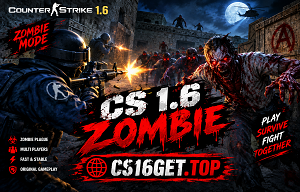
Explore the zombie-themed side of Counter-Strike 1.6. This edition page introduces the classic CS 1.6 experience associated with zombie gameplay, custom maps, character models, and survival-style matches. Check the available client details before downloading to see which features are included in your version.
What to Expect from Zombie Gameplay
- ✓ Zombie-themed character models, where supported
- ✓ Custom weapon options, depending on the client
- ✓ Survival-focused zombie modes on compatible servers
- ✓ Community-made maps and environments
- ✓ A different take on traditional Counter-Strike matches
PC System Requirements
Counter-Strike 1.6 is a lightweight PC game, but requirements can vary between clients and custom editions. The specifications below are general reference points rather than verified requirements for every Zombie Edition build.
Basic Specifications
- CPU: 500 MHz processor
- RAM: 96MB
- GPU: 16MB video card
- Storage: Approximately 700MB
- OS: Windows XP or newer
Suggested Specifications
- CPU: 1.2 GHz processor
- RAM: 256MB
- GPU: 32MB video card
- Storage: Approximately 1GB
- OS: Windows 7 or newer
How to Install CS 1.6 on Your PC
- 1. Get the CS 1.6 installation file from the download link above.
- 2. If the file is an archive, extract it with a compatible utility such as 7-Zip or WinRAR.
- 3. Open the installer if one is provided. Only run files from a source you trust.
- 4. Follow the setup prompts and select an installation folder.
- 5. Start the game after installation and review its settings before playing.
- 6. Need more help? Follow our step-by-step CS 1.6 Installation Guide.