Download CS 1.6 CSGO Edition
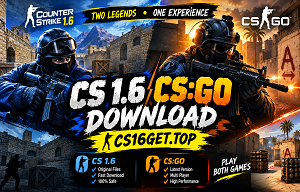
Download CS 1.6 CSGO Edition for Windows PC and enjoy a CSGO-inspired Counter-Strike 1.6 experience with updated visuals, smooth performance, and easy installation.
CS 1.6 CSGO Edition Features
- ✓ CSGO-inspired game interface
- ✓ Enhanced visual experience
- ✓ Improved gameplay performance
- ✓ Stability and gameplay improvements
CS 1.6 CSGO Edition System Requirements
Minimum Requirements
- CPU: 500 MHz processor
- RAM: 96MB
- GPU: 16MB video card
- Storage: 700MB
- OS: Windows XP or higher
Recommended Requirements
- CPU: 1.2 GHz processor
- RAM: 256MB
- GPU: 32MB video card
- Storage: 1GB
- OS: Windows 7 or higher
How to Install CS 1.6 CSGO Edition
- 1. Download the CS 1.6 CSGO Edition setup file for your Windows PC.
- 2. Extract the downloaded archive with WinRAR or 7-Zip.
- 3. Open the setup file (`setup.exe`) and run it as administrator.
- 4. Follow the setup wizard and select the folder where you want to install the game.
- 5. Start CS 1.6 CSGO Edition using the shortcut created on your desktop.
- 6. Need additional help? Follow our complete CS 1.6 Installation Guide for detailed instructions.