Half-Life Blue Shift Download for PC
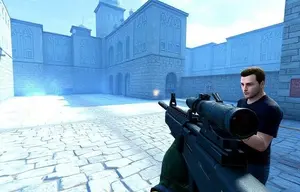
Discover Half-Life Blue Shift, a story-driven first-person shooter set in the world of Black Mesa. The game follows Barney Calhoun, a security guard caught in the chaos surrounding the events at the research facility. Instead of playing as Gordon Freeman, you experience the unfolding disaster from Barney's perspective, exploring familiar scientific environments while facing dangerous creatures, hostile forces, and unexpected obstacles.
Half-Life Blue Shift combines exploration, combat, environmental puzzles, and narrative-driven missions. Players must navigate laboratories, corridors, maintenance areas, and other locations while looking for supplies and ways to progress. Its focus on atmosphere and storytelling makes it a distinct entry in the Half-Life series for players who want to learn more about the events surrounding the Black Mesa incident.
What Is Half-Life Blue Shift?
Half-Life Blue Shift is a standalone story expansion in the Half-Life universe that places players in the role of Barney Calhoun, a Black Mesa security guard. The story takes place around the same broader incident seen in the original Half-Life, but presents events from a different character's point of view. This perspective gives players another way to explore the facility and understand how its personnel experience the crisis.
Rather than relying only on cinematic cutscenes, the game tells much of its story through the environments, encounters, and events that happen during gameplay. Players move through connected areas, interact with the world, find equipment, and solve obstacles to continue their journey. The result is a classic single-player shooter built around exploration and steady progression.
Key Features of Half-Life Blue Shift
- ✓ Barney Calhoun's story: Experience the Black Mesa incident through the eyes of a security guard rather than the original game's main character.
- ✓ Story-driven missions: Progress through connected environments while uncovering more of the events surrounding the facility's disaster.
- ✓ Exploration and puzzles: Search rooms, find supplies, navigate obstacles, and discover routes through the research complex.
- ✓ Classic first-person combat: Face hostile creatures and other threats using the weapons and resources available during the campaign.
- ✓ Connected Half-Life universe: Explore another perspective on the Black Mesa incident and its surrounding events.
- ✓ Classic PC experience: Enjoy an older first-person shooter focused on atmosphere, level exploration, and single-player progression.
Story and Gameplay Experience
Half-Life Blue Shift offers a different experience from a typical multiplayer shooter. Its campaign emphasizes movement through detailed environments, observation, combat encounters, and solving problems along the way. Players need to pay attention to their surroundings, manage available ammunition, and decide how to approach dangerous situations.
The Black Mesa setting connects the game to the wider Half-Life storyline. Laboratories, industrial sections, security areas, and other locations help build the atmosphere as the situation becomes increasingly dangerous. For fans of the series, Barney's perspective adds context to an incident that was previously experienced mainly through Gordon Freeman.
If you enjoy classic PC games with a strong atmosphere and a clear campaign structure, Blue Shift may be worth exploring. Keep in mind that this is a separate Half-Life title, not a Counter-Strike 1.6 edition, so its game files and installation requirements are different.
Half-Life Blue Shift for Windows PC
Before installing Half-Life Blue Shift on a Windows computer, confirm that you have the correct game package and that it supports your operating system. Older PC games may need compatibility adjustments on newer versions of Windows, depending on the release and installation method.
Please note that the download button on this page currently points to the general Counter-Strike 1.6 executable. It does not confirm that Half-Life Blue Shift is included in that file. If you want to play Blue Shift specifically, obtain a legitimate Blue Shift-compatible package and verify its contents before installation.
System Requirements for Windows PC
Half-Life Blue Shift is a classic PC title, but the exact requirements can depend on the release and installation package. The figures below are general reference specifications for an older PC gaming setup, not verified official requirements for every version of Blue Shift. Check the requirements supplied with your particular copy before installing.
Minimum Requirements
- CPU: 500 MHz processor
- RAM: 96MB
- GPU: 16MB video card
- Storage: 700MB
- OS: Windows XP or higher
Recommended Requirements
- CPU: 1.2 GHz processor
- RAM: 256MB
- GPU: 32MB video card
- Storage: 1GB
- OS: Windows 7 or higher
Installation and Compatibility Tips
Before running an installer, check its filename, source, and included instructions. If your download is compressed, extract it with a suitable archive utility. If it is a setup program, follow the instructions supplied with that package rather than assuming every version uses the same installation steps.
On newer Windows systems, check compatibility settings if the game fails to launch or displays incorrectly. Download files only from sources you trust, scan them with security software, and avoid replacing missing game files with unknown downloads. Keeping the correct game package is especially important because Half-Life Blue Shift and Counter-Strike 1.6 are separate titles.
How to Install Half-Life Blue Shift
- 1. Obtain a legitimate Half-Life Blue Shift-compatible game package. The download link on this page points to the general Counter-Strike 1.6 executable , so it should not be treated as a verified Blue Shift installer.
- 2. Check the downloaded file type and read the included instructions. If it is a compressed archive, extract it using WinRAR or 7-Zip.
- 3. If the package includes an installer, run the appropriate setup file and follow its instructions. Only grant administrator permissions when necessary and when you trust the source.
- 4. Choose an installation folder with enough free storage and allow the installation process to finish.
- 5. Launch Half-Life Blue Shift from its installed shortcut or the location specified by the installer. Confirm that the game opens and runs correctly.
- 6. For general PC game setup guidance, see our Installation Guide .
Frequently Asked Questions
What is Half-Life Blue Shift?
Half-Life Blue Shift is a story-driven first-person shooter set in the Half-Life universe. It follows security guard Barney Calhoun during the Black Mesa incident and presents events from his perspective.
Is Half-Life Blue Shift the same as Counter-Strike 1.6?
No. Half-Life Blue Shift is a separate single-player title, while Counter-Strike 1.6 is primarily known for its team-based shooter gameplay. They share a broader game universe and technology history, but they are different games.
Does the download button provide Half-Life Blue Shift?
The current button links to a general Counter-Strike 1.6 executable. It does not verify or provide a confirmed Half-Life Blue Shift package. Use a legitimate Blue Shift-compatible source if you specifically want to play this title.
Can I play Half-Life Blue Shift on a modern Windows PC?
Compatibility depends on the game release and your system configuration. Some older games may need compatibility settings or other adjustments to run correctly on newer Windows versions.
What type of gameplay does Blue Shift offer?
The game focuses on a single-player campaign with exploration, combat, environmental puzzles, and story progression. Players experience the Black Mesa incident through Barney Calhoun rather than Gordon Freeman.
What should I check before installing?
Verify the game title, package source, system requirements, and included files. Scan downloaded files with security software and make sure the package is actually intended for Half-Life Blue Shift.
Explore More PC Game Editions
Browse the CS16GET collection to explore Counter-Strike 1.6 clients and other available editions. Read each page carefully to compare its description, download details, and included content before choosing a package.